How to make a shortcut
what is a shortcut?
A shortcut, in Windows, is a link to a file or folder that you can place on the desktop or in a Start menu folder. When you click a shortcut, the file or folder that it points to opens.
You can tell that a file or folder is a shortcut because it has a small arrow on its icon. The arrow points to the file or folder that the shortcut points to.
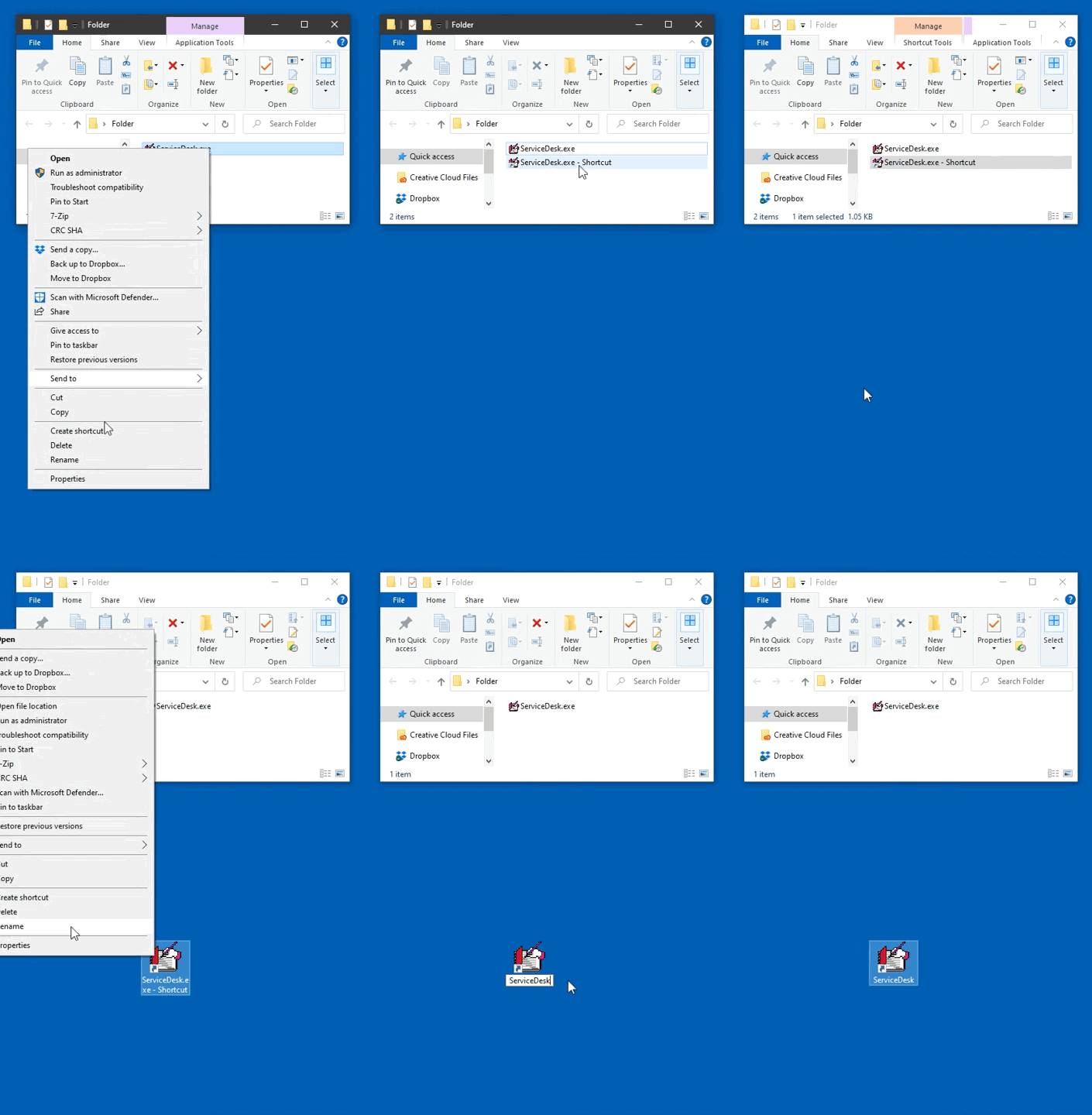
You can make a shortcut in a few simple steps:
- Right-click on the file or folder you want to make a shortcut for.
- Select Create Shortcut.
- Right-click on the shortcut and select Rename.
- Type the name you want for the shortcut and hit Enter.
- Drag the shortcut to your desktop or to a folder in the Start menu.
Here's what this could look like: