How to turn off predictive text on Android devices
Some users have experienced slowness when typing in SD-Mobile on an Android device with Predictive text enabled. Follow these steps to disable Predictive text and improve response times.
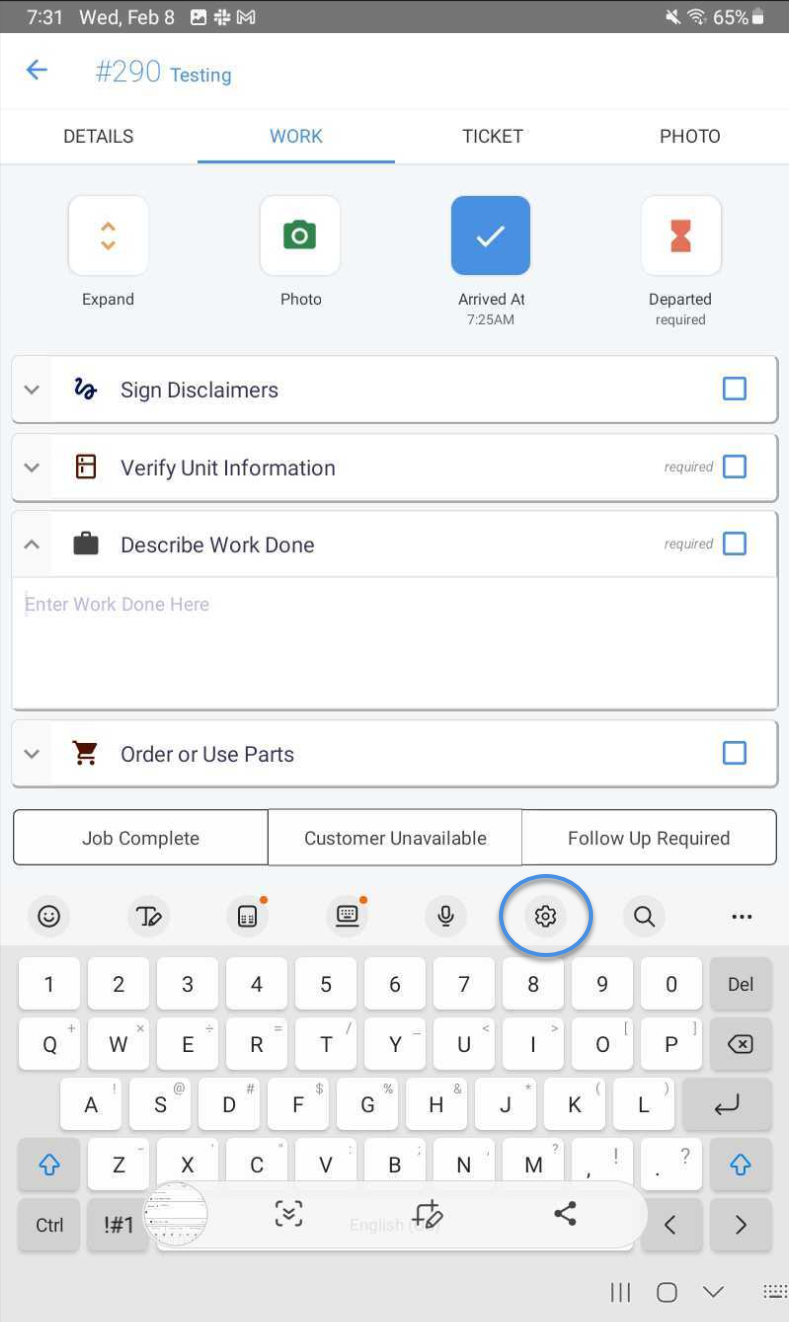
When in a text field and the native keyboard is visible, select the gear icon to open the Settings menu.
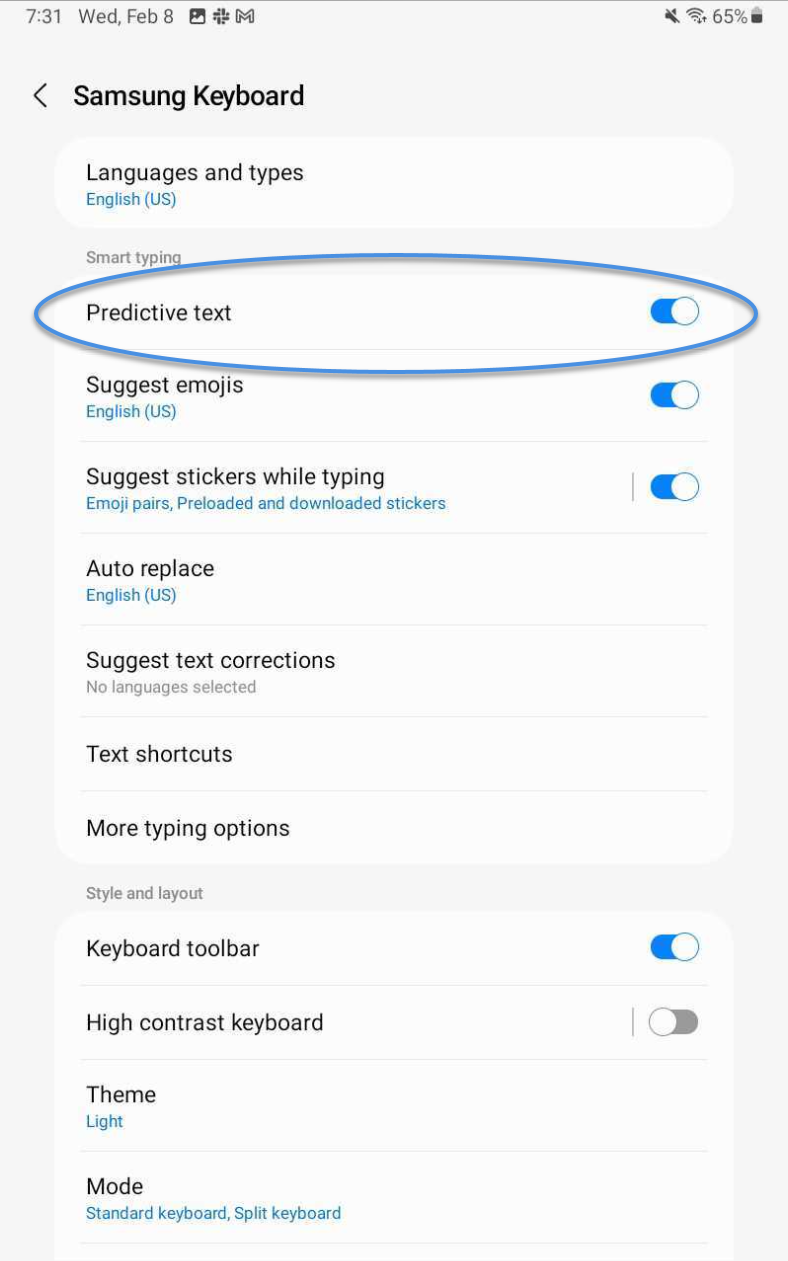
In the Settings menu, locate “Predictive text” and click the slider to turn it off.
That is it! You are ready to start typing with faster response times in SD-Mobile.
If you are using a third-party keyboard your steps may vary based on the application settings.